Migrating Away From WordPress in the AI Era: A Developer's Case Study
WordPress was replaced after testing Ghost and Astro, and two SEO sites were rebuilt on Wagtail for a structured, AI-first workflow.
I migrated two live SEO websites away from WordPress by letting an AI coding agent help evaluate the stack, fail twice in production, and land on a working solution in a single weekend.
By late 2025, nearly all operational work, content planning, technical SEO fixes, data pipelines, server configuration, and deployments ran through an AI coding agent in my terminal. The LLM could read, modify, and deploy every part of my infrastructure except the one system that controlled the public-facing website: WordPress.
Since most of my day-to-day work no longer happened in dashboards or editors, WordPress was no longer aligned with how I worked. WordPress architecture assumes manual configuration inside an admin panel. That assumption conflicts directly with a workflow where the primary operator is an AI agent that cannot see or interact with browser-based interfaces.
This article is not a typical "best WordPress alternatives" list, nor is it about finding the best one based on online reviews. It is a practical case study of migrating two live SEO websites, testing multiple platforms under production conditions, and explaining what worked, what failed, and why.
TL;DR: If your primary development interface is an AI coding agent inside the terminal, traditional CMS platforms built around browser dashboards become operational bottlenecks.
- WordPress breaks in AI-first workflows because critical state lives in admin panels and database settings rather than in version-controlled code.
- Ghost fails when you need programmatic content and shared rendering logic defined as code.
- Astro fails when non-technical editors must publish content without Git or build pipelines.
- Wagtail works because it unifies rendering, structured content, APIs, and editorial workflows inside a single Python/Django codebase.
If your product includes programmatic content and AI-assisted development, your CMS must behave like infrastructure, not software you log into.
What "AI-First Workflow" Actually Means and Why it Matters for CMS Selection?
An AI-first workflow means your primary interface for building, deploying, and managing a website is an AI coding agent operating inside a terminal, not a browser dashboard.
In practice, an AI-first workflow means:
The AI agent can read your entire codebase. It can run commands, inspect files, modify templates, execute database queries, and deploy changes, all without leaving the command line. Content workflows, server deployments, and structural changes all happen through the same interface.
This is not a metaphor for "using AI tools sometimes." It means the terminal has replaced the browser as your operating environment.
Industry usage data supports this transformation: developers today frequently rely on AI tools for core coding tasks such as writing code, generating tests, debugging, and summarizing information. According to the Stack Overflow 2024 Developer Survey, 76% of all respondents are using or are planning to use AI tools in their development process.
Once that shift happens, any system that stores critical state in admin panels, configuration screens, plugin settings, or code-injection boxes becomes invisible to the agent.
That is exactly where WordPress breaks down.
Why WordPress Breaks in AI-First Workflows?
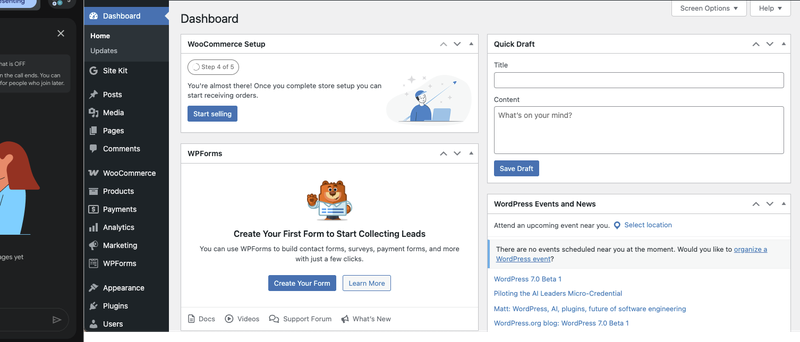
WordPress fails in AI-first workflows because it splits system state between the codebase and the admin database. An AI agent can read one; it cannot reliably operate on both.
In a standard WordPress setup, navigation links live in the Customizer or a theme settings screen. Tracking scripts live in a plugin's configuration panel. I generate programmatic content outside WordPress entirely. Geo pages, comparison tables, and data-driven landing pages all come from Python pipelines. WordPress receives pre-rendered HTML and publishes it, but never processes or structures the content itself.
None of it lives in version control. I cannot inspect it from the terminal. An AI agent operating on the repository cannot systematically reason about it.
WordPress targets users who log in through a browser. That human can see the Customizer, click through plugin settings, and manually keep things in sync. When an AI agent replaces that human, the admin panel becomes an opaque boundary. The AI agent can read the theme code but cannot see what the admin panel controls.
I hit this wall when I shifted to an AI-driven workflow. I relied on a system that I could not access, inspect, or modify from the environment where I did all my work. The CMS stops being a tool and starts being a liability.
The 8 Requirements that Determine Every Platform Decision
Every CMS looks viable until you force it to satisfy a complete set of constraints simultaneously. I wrote these requirements down before using any tools. This list is what eliminated two platforms and surfaced the winner.
Requirement 1: One Rendering Layer for Everything
I needed everything to render through a single template engine: blog posts, landing pages, legal content, and programmatic geo pages. I defined navigation, the footer, and tracking scripts once and inherited them everywhere. No exceptions. No "override this in the plugin."
The moment a platform required separate rendering paths for different content types, I knew it would recreate the fragmentation I was trying to escape.
Requirement 2: Programmatic Content Treated as a First-Class Feature
Both sites generate pages through Python pipelines, country pages, comparisons, and SEO tools. That output didn't feel like a workaround in the CMS. If a platform assumes users write content manually and treats automation as an edge case, it fails this requirement.
Requirement 3: Shared Templates in Version Control, Not Admin Text Boxes
I defined navigation, the footer, and tracking scripts once and kept them in code. I avoided code injection fields. I avoided copy-pasting markup across templates. I refused the admin-only configuration patterns that WordPress and Ghost rely on.
I followed a simple rule. If something affects rendered output, I put it in a version-controlled file. I inspect, modify, review, and deploy it like everything else in the codebase.
Requirement 4: A Visual Editor for Non-Technical Team Members
Editors, SEO specialists, and virtual assistants publish and update content regularly, and none of them use Git, nor should they ever need to. If publishing a blog post required pulling in a developer or learning a build system, the platform fails this requirement immediately.
Teams fail when they treat editorial workflows as implementation details to solve later. They are hard constraints that determine whether a CMS is actually usable by the people who depend on it daily.
Requirement 5: Python as the Only Language
I had already written all pipelines, analytics scripts, API integrations, and deployments in Python. Introducing another language for core logic would have fragmented the workflow. I wanted the CMS to be part of the same ecosystem, not adjacent to it.
Requirement 6: Self-Hosted on Boring Infrastructure
I ran both sites on a single VPS behind Cloudflare, and I had no intention of introducing managed platforms or proprietary hosting layers that would increase long-term dependency. The migration could not require a new hosting vendor.
PostgreSQL, a WSGI server, and a reverse proxy met my needs because they were predictable and already part of my stack. I was not optimizing for trendiness. I was optimizing for control, clarity, and minimal operational risk.
Requirement 7: Explicit and Controllable Caching
At scale, performance cannot depend on hitting the database for every request. I needed a caching strategy that was explicit and predictable, especially when content changed.
When an editor publishes an update, I need to know exactly which caches it invalidates and at what point. I don't expect a plugin to handle it correctly. Do not rely on opaque internal behavior. The system must let me define and enforce the rules.
Requirement 8: Structured API Access to All Content
I assumed from the beginning that this would not be the last migration. That meant every piece of content had to remain programmatically accessible in structured form.
If exporting content ever required scraping rendered HTML or reverse-engineering frontend markup, the system would already be decaying. I needed a CMS where content stayed portable, queryable, and reusable from day one.
What are the Two Sites That Exposed WordPress as the Wrong Tool?
I was not migrating blank test sites or personal blogs; I was moving two live, revenue-generating products with real traffic, real users, and years of accumulated technical debt.
fatgrid.com is a SaaS tool built for backlink research, helping users analyze link profiles across countries, while xamsor.com is an SEO tool platform that combines a blog with seven interactive tools for keyword research, backlink analysis, and content auditing.
Both websites were running on WordPress. Both platforms failed in ways I only noticed after I moved the workflow into an AI-first environment.
FatGrid
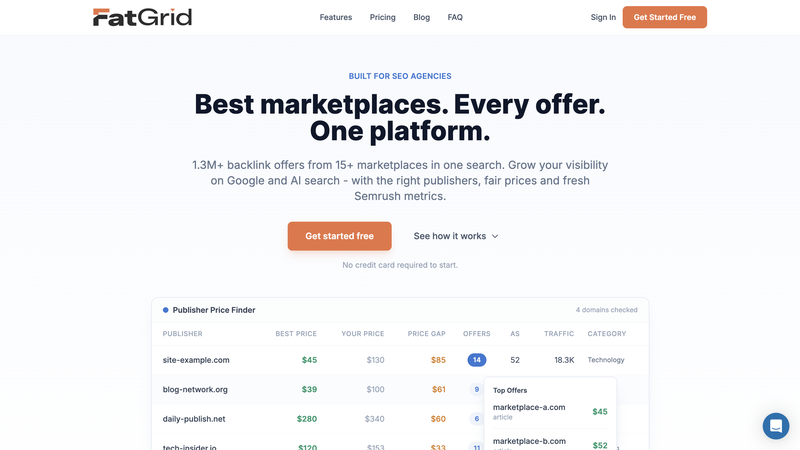
fatgrid.com is a B2B SaaS platform specifically designed for SEO professionals and agencies to research, compare, and purchase backlinks. By the time I started migration, WordPress was barely involved in what the site actually did. It hosted the domain and rendered a few pages. Everything else happened elsewhere.
I deployed the main landing page as an HTML file through a WordPress redirection plugin. I did not use WordPress PHP templates to render it. I duplicated navigation and footer markup across three systems: the WordPress theme, a standalone HTML file, and a separate SPA. Any structural change required manual updates in all three places.
Tracking scripts, such as Google Tag Manager, Clarity, FullStory, and Intercom, were available on the WPCode plugin configuration screen. None of it was version-controlled. The production admin panel was the source of truth for those integrations, which meant no one could verify them without logging into WordPress.
I generated the 121 country-specific geo pages outside WordPress. A Python pipeline backed by SQLite generated them. The pipeline pre-rendered them as HTML and served them through WordPress as static pages. WordPress did not process, query, or structure that content. It stored and served it.
Content lived in four places at once. WordPress was the least inconvenient option for attaching a domain. Calling it a WordPress site was a courtesy.
Xamsor
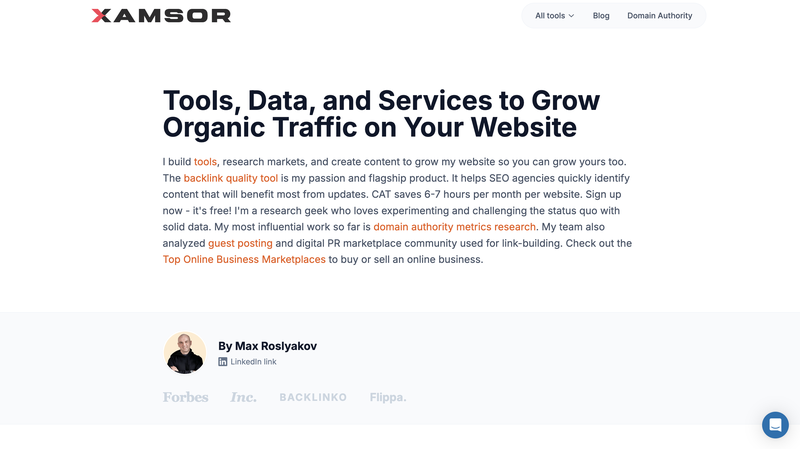
xamsor.com was more complex than fatgrid.com, which mostly relied on static landing pages and pre-rendered geo content. It had 74 blog posts, but the real weight sat in the seven interactive SEO tools that WordPress powered through a custom PHP plugin. Each tool accepted user input, queried external APIs in real time, and rendered results inside the WordPress template.
Technically, it worked. That was never the issue.
The real problem was structural. The system never stored Xamsor's output in the WordPress database, so the REST API could not export it. There was no clean, structured representation of that logic. If I ever needed to move it, I would have had to reverse-engineer every shortcode and reconstruct the tool behavior from scratch.
Over time, editorial content and product logic had fused into a single environment. WordPress was no longer just a CMS managing content. It had quietly become the runtime layer executing application logic that had nothing to do with content management.
Both Sites Shared the Same Failure Pattern
Both sites failed the same way: WordPress was not the system of record. It was a layer bolted onto pipelines and scripts that actually defined the product. Because so many states lived in places an AI agent could not inspect, it could not meaningfully participate in maintaining, debugging, or extending the site.
That was the real reason for the migration. Not performance, not trends, and not dissatisfaction with WordPress itself. It no longer fit how I did the work.
Why I Ran Migrations Instead of Doing Research?
Before AI-assisted development, choosing a CMS meant reading comparisons, scanning GitHub issues, and trying to predict behavior months ahead. The goal was to avoid wrong choices because reversing them was expensive.
An AI coding agent can read documentation, inspect source code, attempt a migration, write integration scripts, and surface hard limitations inside a single working session. Trying a platform is no longer significantly more expensive than reading about it.
The switching cost collapsed. That changed everything about how I made decisions.
This shift is not anecdotal. A recent Stack Overflow-based developer survey found that roughly 84% of developers now use or plan to use AI tools in their workflows. AI assistants now shape day-to-day decision-making at a scale that makes traditional research-first approaches less efficient than rapid prototyping.
Why Ghost Fails for Programmatic Content and AI-First Workflows?
I tried Ghost because Claude recommended it to me for its clean API. However, once I moved beyond simple blog publishing and attempted to integrate programmatic pages and shared rendering logic, Ghost revealed structural limitations that made it unworkable for my use case.
What Made Ghost Worth Trying
Ghost is a modern publishing platform with a clean Admin API, a well-documented Content API, a Markdown-native editor, and a Node.js architecture that is straightforward to self-host. Blog posts imported cleanly. The editor experience was excellent. For a content-only site, Ghost is a strong option.
I spun up a Ghost instance in Docker on the same VPS and migrated real content, not test posts. Then I tried to use Ghost as more than a blog.
Where Ghost Breaks
Ghost is a publishing platform, not a web framework. That distinction becomes critical in an AI-first workflow.
Ghost themes support templating. However, Ghost does not treat global structure as first-class application code under version control. Ghost limits navigation and footer management. It relies on admin panel settings and theme configuration rather than version-controlled code to define structural behavior.
This recreates the same blind spot found in WordPress: critical rendering behavior lives in production admin panels, not in code. An AI agent operating on the repository cannot inspect or modify that state.
The limitation becomes more severe with programmatic content. Ghost assumes editors author content manually. When users create pages through the Admin API, Ghost still treats them as posts with author attribution and editorial metadata rather than structured, machine-generated output.
Pushing 121 machine-generated geo pages into that model meant treating generated HTML as prose. There was no clean way to express data-driven rendering through shared templates inside the framework itself.
Ghost provides a clean API, but an API layered on top of a publishing system does not replace a unified rendering engine. When structure is configuration and not code, the CMS cannot fully participate in an AI-first workflow.
Why Astro Fails When Editors are Part of the Team?
After Ghost, Claude suggested moving in the opposite direction. Instead of using a CMS with constrained templating and structural state hidden in admin panels, the logical alternative was a static site generator that treated the entire rendering layer as code.
Astro provided exactly that. The framework expressed shared layouts as code. Explicit templates define page types. The build process generated programmatic geo pages deterministically. All structures existed in the repository. An AI agent could see, modify, and reason about the full system.
Architecturally, this solved the problems Ghost introduced. Operationally, it created a new one: editors had no native interface. Every content change required Git access, pull requests, or a custom editing layer bolted on top.
Astro did not fail as a framework. It failed as a collaborative publishing system.
What Made Astro Worth Trying
After Ghost, the problem was clearly about structure, not APIs. The response was to remove the CMS entirely and start with a rendering engine.
Astro is a static site generator built for control. Components, layouts, and shared templates are native concepts; JavaScript is optional, and its performance is excellent by default. Navigation and footer lived in version-controlled files. Programmatic page generation worked natively.
From a systems perspective, this was the cleanest architectural state the site had ever been in.
Where Astro Breaks
Astro is a developer tool, and it is a design decision with specific consequences.
In Astro, blog posts are files, and publishing means editing Markdown, committing to Git, and triggering a build. Previewing changes requires running the project locally or understanding the deployment pipeline. For a solo developer, this is fine. For a team that includes editors, it is a hard barrier.
The problem was not the developer experience. The problem was that developers were not the only people publishing content.
fatgrid.com has editors, an SEO specialist, and a virtual assistant who regularly update content. Asking them to learn Git, Markdown syntax, and deployment workflows was not a reasonable tradeoff. Even with a friendly frontend, the underlying system assumed technical competence at every step.
The obvious solution of pairing Astro with a headless CMS would have introduced a second system responsible for content, splitting the rendering layer across two systems. That is the exact fragmentation that motivated this migration in the first place.
Astro Lesson: Static generation is not a substitute for a CMS when non-technical editors are part of the publishing workflow. Perfect templates and zero JavaScript still fail operationally if the people who publish content cannot use the system.
Reading twenty comparison articles would have taken longer than attempting two full migrations. Real failure gave me more specificity and honesty than anything a review article could provide. When something breaks in production, you know exactly where the boundary is.
Each failed attempt narrowed the problem space in a way research could not. Ghost showed precisely where blog-first platforms fall apart. Astro showed exactly where static generation breaks editorial workflows. Both failures were cheap, reversible, and more informative than any documentation.
"The principle here is reversibility over planning. When the cost of being wrong is low, experimentation produces better decisions than research."
Why Wagtail Works Where Ghost and Astro Fail?
Wagtail is a CMS built on top of Django, where the rendering layer operates as a web framework and the editing layer functions as a structured content system. The architecture clearly separates the two.
That architectural separation is precisely what makes Wagtail effective in AI-first workflows and why it deserves closer examination.
How Wagtail Solves the Ghost Problem
Wagtail does not sit on top of a framework the way Ghost or a headless CMS does. Wagtail is the framework itself, which changes everything about how the rendering layer behaves. Templates are standard Django templates. Models are Python classes. Navigation, the footer, and tracking scripts are version-controlled template files, not admin-panel configuration.
There are no code-injection text boxes or admin-only configuration screens that control how pages render. If markup affects output, Wagtail stores its code in a version-controlled file, which means the AI agent can see, modify, and reason about the full rendering stack.
How Wagtail Solves the Astro Problem
Wagtail solves the editorial problem that made Astro unworkable by providing a fully realized CMS layer sitting cleanly on top of the Django framework. Editors never interact with templates, repositories, or deployment pipelines. They log in, edit content, and publish.
Publishing a post does not require Git. Editing a page does not trigger a build. The system stores revision history automatically. The rendering layer stays code-first while the editing layer stays human-friendly.
Why Python Matters More Than Any Specific Feature
By the time Wagtail entered the picture, its Python foundation decided the outcome. The rest of the stack already ran on Python. Analytics processing, data extraction, programmatic page generation, API integrations, and deployment scripts were all Python. The CMS became part of the same ecosystem rather than an external dependency connected through APIs.
The AI coding agent could inspect the CMS codebase, reason about Django models and templates, run management commands, and deploy changes without switching contexts or runtimes, which meant the entire system was now within the agent's operational scope.
A CMS behaves like code when it lives in the same language ecosystem as your AI agent already operates on. When the CMS is a Django project, the AI can treat the entire site content, models, templates, and logic as a single coherent system.
Platform Comparison: What Each System Could and Could Not Do?
When I compared Ghost, Astro, and Wagtail, the evaluation went beyond popularity and feature lists and began measuring each against the constraints that mattered most to my workflow. The question was not which platform is best but which platform survives a complete requirements check without needing workarounds.
The table below reflects that evaluation, not marketing claims, but what each platform could and could not do under real production conditions.
| Requirement | Ghost | Astro | Wagtail |
|---|---|---|---|
| Shared templates in version control | Theme files in repo | Components/layouts in repo | Django templates & models in repo |
| Programmatic content as first-class | Fixed post/page model, APIs only | File/headless-CMS content in code | Content types defined in Python models |
| Visual editor for a non-technical team | Built-in rich editor | Needs an external visual CMS/editor | Full admin UI with rich editor |
| Single Python ecosystem | Node.js/JS stack | Node.js/JS stack | Python/Django CMS |
| Self-hosted on a plain VPS | Supported on Linux VPS | Can deploy on generic VPS | Standard Django deployment |
| Full API access to all content | Content/Admin APIs, opinionated model | No built-in content API for files | Official JSON content API |
| Tracking scripts in version control | Via theme files, UI "code injection" is DB | Added in layouts/components in repo | Added in templates/settings in repo |
| AI agent can inspect the full system (repo only) | Lots of logic/content in DB | Good if content is file-based; not if in external CMS | Code/APIs visible; content still in DB |
Ghost failed at structure and programmatic content. Astro failed at editorial access. Wagtail was the first platform that did not require any workarounds for these requirements.
How I Migrated fatgrid.com in One Weekend?
The fatgrid.com migration did not feel like a rewrite. It felt like removing scaffolding that I had left in place too long. I completed most of the work in a single weekend because I had already assembled the tools, pipelines, and deployment infrastructure through the AI agent.
WordPress had been acting as a thin shell around static assets and Python pipelines. Claude handled the bulk of the migration work, generating import scripts, porting templates, downloading assets, and wiring up Django models, while I directed the process, tested results, and made architectural decisions.
Phase 1. Project Scaffolding
I defined the baseline requirements explicitly: shared templates, version control from day one, and a single rendering layer without duplicated logic. Claude scaffolded the Wagtail project around those constraints. The result was a clean Django project where page types, templates, and content models were defined in code from the start.
The system centralizes navigation, the footer, and tracking scripts in reusable template files and applies them automatically to every page type. Version control began with the very first commit, ensuring that nothing existed outside the repository.
This approach made every structural element inspectable, editable, and deployable through the repository, eliminating hidden dependencies in the admin panel.
Phase 2. Porting the Landing Page
I ported the existing standalone HTML file into a Django template and replaced the script tags with the shared includes I had already set up in Phase 1. Visually, nothing changed for the user, but operationally, the page now lived inside the same rendering pipeline as every other content type.
Phase 3. Blog Content Import
I imported 30 blog posts from the WordPress REST API. I brought post bodies in as raw HTML blocks to avoid formatting regressions during the migration. I mapped titles, excerpts, dates, and slugs directly. Categories transferred cleanly.
I downloaded all 131 images from WordPress and re-uploaded them into the Wagtail media library. I deliberately postponed the conversion from raw HTML into native Wagtail blocks until after the site was live, treating it as a follow-up task rather than a migration blocker.
Phase 4. Programmatic Geo Pages
I left the existing Python and SQLite pipeline that generated the geo pages completely untouched, since it was already working correctly, and there was no reason to rewrite something that only needed a new delivery target.
A single new script queried the database, rendered each of the 121 geo pages, and emitted a JSON file that a Django management command then read to upsert Wagtail pages on the server. The production server received updates by running a single command.
Phase 5. Legal Pages, Deployment, and DNS Cutover
I recreated the legal pages as standard Wagtail pages that inherit from the same base templates as everything else. I did not add special handling or exceptions. I deployed the site to the existing VPS using Docker, Caddy, and PostgreSQL.
Full-page caching via wagtail-cache ensures zero database hits, keeping visitor response times under 50 ms, with a cold-hit penalty of 200-500 ms handled by the server's cache warmup script. I cut over DNS on February 6, 2026.
How xamsor.com Migrated, Rebuilding Tools Instead of Dragging Plugins?
If fatgrid.com felt like removing scaffolding, xamsor.com felt like dismantling machinery while it was still running.
Phase 1. Architecture Decision
I deployed xamsor.com as a separate Wagtail instance instead of including it in a multi-site setup. The separation was deliberate. Two independent Django projects ran on the same VPS. Each had its own database, Docker container, and deployment path. They shared nothing except the server hardware.
This kept the products fully decoupled, with no shared state and no architectural overlap. Yes, it meant running more containers. But it also meant cleaner boundaries, simpler deployments, and fewer lateral failures.
Phase 2. Rebuilding the Tools in Python
The seven SEO tools previously lived as PHP shortcodes inside a custom WordPress plugin. Each proxied external APIs, processed responses in PHP, and rendered output directly in templates.
I rebuilt that logic instead of migrating it. Each tool became a Django view backed by a Python service layer. The JavaScript frontends required only minor changes. I moved all API integrations into Python, which meant the CMS, the tools, and the data pipelines now shared the same runtime.
As part of this overhaul, I also added a Bulk Dofollow/Nofollow Checker that fits naturally into the new Python-based framework. Using requests and BeautifulSoup instead of an external API enabled useful functionality with almost no integration overhead.
Phase 3. Editorial Content at Scale
I handled the editorial migration methodically. I transferred seventy-four posts using the WordPress REST API. I downloaded 477 media files and re-ingested them into Wagtail's media library.
The migration script converted most posts without friction. However, Wagtail could not represent complex tables, embedded charts, or iframe-based components as native blocks. Instead of forcing imperfect conversions, I kept those elements as raw HTML blocks. Accuracy mattered more than consistency.
Phase 4. DNS Cutover
The rollout followed a deliberate sequence. I deployed Fatgrid.com first to validate the new infrastructure under lower complexity. Once I confirmed performance and stability, I shifted attention to xamsor.com.
I cut over DNS for xamsor.com on February 8, 2026, two days after the initial migration. Staggering the deployments allowed real-world issues to surface early, reducing risk before moving to the more complex product.
The Bugs That Only Appear After Migration
Migrations rarely collapse in obvious ways. Problems usually surface quietly, once real users begin interacting with the system. That is exactly what happened here. Nothing failed dramatically, but once editors, crawlers, and browsers touched the new system, small issues emerged that no amount of pre-launch testing would have caught.
HTML Entity Double-Encoding
I noticed strange characters appearing in browser tab titles and meta descriptions. WordPress's REST API had already encoded certain HTML entities, and Django escaped them again during rendering.
I fixed it by running an explicit HTML unescape process on every imported text field before storing it. The real takeaway was clearer: whenever content comes through an API, I now assume partial escaping and normalize before storing.
Wagtail Editor Crashing on Imported WordPress HTML
Some posts opened fine on the frontend but crashed inside the Wagtail editor. The issue was structural. WordPress-generated markup did not follow the stricter HTML rules enforced by Wagtail's rich text editor. Tags that are acceptable in a browser context caused Wagtail's parser to fail.
What made it tricky was that Wagtail loads content from its revision table, not just the live page table. I had to clean both. Fixing published content alone did nothing. I had to correct every stored revision, not just the most recent one.
Image Filename Collisions
Weeks later, I saw screenshots appearing in the wrong blog posts. The problem looked deceptively simple. Editors reused generic filenames like "image-1.png" across multiple articles, and the migration script had overwritten earlier files without renaming them. Each duplicate filename silently replaced a previously uploaded image.
Six image IDs ended up shared across unrelated posts. I re-downloaded each affected image from the original WordPress source and re-uploaded them with unique, prefixed filenames.
Tables Overflowing Page Layouts
One long data table broke the page layout by overlapping the sticky sidebar. The old WordPress theme had masked that constraint; the new layout exposed it.
A CSS-only patch did not solve the problem because the rich text block contained the table without a wrapper. I replaced flexbox with a grid layout, added overflow constraints to the content column, and used JavaScript to wrap wide tables in scrollable containers after rendering.
What an AI-first Migration Actually Looks Like in Practice?
The entire migration across both sites ran through an AI coding environment. Claude inspected the codebase, proposed approaches, and implemented solutions. Meanwhile, I ran the code, inspected the output, and decided what to keep.
Each cycle followed the same loop. I described the requirement or constraint. Claude generated an implementation attempt. I evaluated whether the result satisfied the architectural goals. If it introduced complexity or misalignment, I rejected it and reframed the constraint. If it worked, I committed it and moved to the next step.
There were no project plans, no task boards, and no meetings. I executed every step through the same AI interface. This included WordPress REST API exports, Django model creation, template porting, image migration, DNS cutover, and post-launch bug fixes.
The value was not speed; it was reversibility. Every decision was cheap to undo, which made experimentation safer and more informative than research.
This is a transferable principle. If you are evaluating CMS platforms in 2026, the most efficient approach is not reading comparison articles. It is running your real content against each candidate and seeing which one fails first.
From WordPress to Wagtail: The Final Migration Setup
Today, both sites run on the same architectural foundation, and that alignment is what finally made everything predictable.
There is now one clear rendering layer. Django templates power every page type: blogs, landing pages, legal content, programmatic pages, and tools, all pulling from the same shared navigation, footer, and tracking configuration. No exceptions, no overrides, and no workarounds.
The boundaries between roles are clean. Editors stay inside the CMS. Developers stay inside the codebase. There are no hidden dependencies, no plugin logic bleeding into templates, and no configuration screens that silently control output.
I designed that separation intentionally. I wanted a system where operational editing never interfered with structural control, and where structural changes were always explicit in version control. That is what makes the system sustainable.
The programmatic pipelines continue exactly as before. They generate structured output independently, and the CMS simply consumes it. Neither system depends on the other's internal mechanics, which keeps both sides independently testable and replaceable.
Infrastructure is intentionally simple: two Docker containers, two PostgreSQL databases, one VPS, and a reverse proxy in front. Cloudflare handles distribution, and the deployment process scopes changes per site to avoid unnecessary coupling.
WordPress still runs at its original IP for one purpose: serving legacy image paths during cleanup. Once I fully migrate those references, I will shut it down.
Should You Migrate Away From WordPress in 2026?
Migration away from WordPress is worth attempting if two conditions are true:
First, you have an AI coding agent that can operate at the project level, reading codebases, running migrations, deploying infrastructure, and debugging failures without leaving the terminal. Without that capability, the cost of experimentation stays high, and traditional research-first CMS selection remains the safer path.
Second, you are comfortable being wrong more than once. The value of an AI-assisted platform evaluation is not in choosing correctly on the first attempt. It is making the cost of choosing wrong low enough that you can try two or three platforms and still finish faster than you would with a traditional planned evaluation.
This approach will not work if your team lives entirely in browser dashboards, if code deployments are infrequent events requiring coordination, or if programmatic content is not part of your product strategy.
If you are running a simple editorial blog with no programmatic content and no Python pipelines, WordPress or Ghost are probably the right choices. This migration was necessary because the sites had outgrown what those platforms could support.
The Principle That Matters More Than Any Specific Tool
In an AI-assisted workflow, your CMS should behave like a library in your language ecosystem, not a separate application you log into. Structure should live in code. Content should be editable by non-technical users. Everything should be inspectable from a terminal.
In practice, a CMS behaving like a library in the language ecosystem meant it had to be fully inspectable and operable through Claude Code. If the AI agent could not read templates, modify routing, run database migrations, and deploy updates without switching tools, the CMS was outside the agent's operational boundary.
For Python teams, Wagtail naturally meets this requirement. For JavaScript teams, other systems may serve the same role. The specific technology is less important than the underlying requirement it must satisfy.
WordPress was never designed for a world where the primary operator is an AI agent working through a codebase. That is not a flaw in WordPress; it is a constraint on where it fits.
Once your work flows through code, your CMS has to live there too. Platforms that store state in admin panels, require browser dashboards for structural changes, or treat programmatic content as an edge case will increasingly struggle as AI-first development becomes the norm.
The world moved, the tooling has to move with it.
FAQs
Is WordPress outdated in 2026?
No. WordPress remains a stable, mature CMS for editorial websites and marketing-driven projects. It powers a large portion of the web for a reason.
However, WordPress targets browser-based administration and manual configuration. If your development workflow is AI-assisted and code-first, WordPress can become misaligned with how you work. WordPress is not outdated. It is misaligned with specific emerging workflows.
Is Wagtail better than WordPress?
The choice between Wagtail and WordPress depends on the team and product. For editorial blogs or marketing sites with minimal programmatic logic, WordPress is often simpler and faster to launch.
For teams working inside Python ecosystems, managing structured content models, programmatic pages, and AI-assisted development, Wagtail integrates more cleanly because it behaves like a Django application rather than a separate platform.
What is an AI-first CMS?
An AI-first CMS is not a marketing label. It describes a system that:
- Stores structure in version-controlled code.
- Exposes all content through structured APIs.
- Allows programmatic page creation without hacks.
- An AI coding agent operating on the repository can fully inspect and modify it.
If the CMS requires manual dashboard interaction to modify structural behavior, it is not AI-first.
Should developers use Ghost?
Ghost is an excellent publishing platform for focused blogging and content-driven membership sites. It has clean APIs and a strong editorial experience.
However, if your product includes heavy programmatic page generation, shared rendering logic across content types, or infrastructure-as-code workflows, Ghost's configuration-driven theme system can become a limiting factor.
Is Astro good for SEO?
Yes. Astro produces static output with excellent performance characteristics, which is strong for SEO fundamentals such as Core Web Vitals and crawlability.
The limitation of Astro is not SEO performance; it is workflow. Astro assumes content is file-based and Git-driven. For developer-only teams, that is ideal. For organizations with non-technical editors, publishing without Git becomes a significant operational challenge.

Max Roslyakov
Founder, Xamsor