Smartcat Review (2025)
Review of Smartcat's AI video translation tool, covering transcription, dubbing, and subtitle generation in 280+ languages.
What is Smartcat?
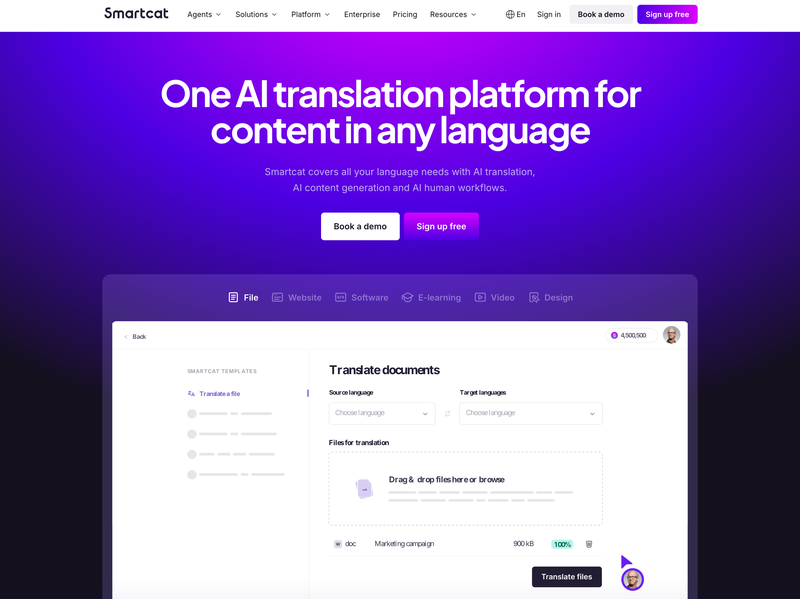
Smartcat is an online tool for video translation. It can transcribe, translate, subtitle, and dub videos in more than 280 languages. The system detects speech, creates subtitles, and generates voiceovers. All of this happens in one workflow.
Smartcat is a platform for translation and localization. It offers tools for text, documents, and video. In this review we focus only on the AI video translation tool.
Our Review
Ease of Setup. Very easy. The project setup feels simple. The steps are clear and fast.
Automation and Speed. Strong. The tool processes transcription, translation, subtitles, and dubbing quickly. It is much faster than older methods.
Translation Accuracy. Good. The tool claims about 95 percent accuracy. A human review is still needed to make the result professional and Smartcat offer this option with their Review marketplace.
Editing Tools. Helpful. You can edit subtitles, timing, and text. Live preview makes it easier to spot mistakes. Collaboration is smooth.
Dubbing Quality. Good. The voices sound natural and can be adjusted by gender, pitch, or tone. The quality depends on the original video and the review process.
Multi Speaker Handling. Strong. The tool can detect different speakers. It makes subtitles more accurate when people overlap.
Export and Integration. Flexible. You can export videos with subtitles, separate subtitle files, or dubbed audio. API options allow integration with other workflows.
Limitations. Several points. AI results sometimes still need human correction. Fast speech or heavy accents reduce accuracy. Background noise may cause minor mistakes. Dubbed voices can sound off without edits. Some exports need extra setup.
Our rating: 4.8/5
Key facts about Smartcat video translator
Languages supported. More than 280.
Speaker detection. Built in.
Review marketplace. Over 500,000 reviewers.
Target users. Marketers, training teams, creators, localization teams.
Enterprise use. Trusted by many global companies, including Fortune 500.
Interface and UX
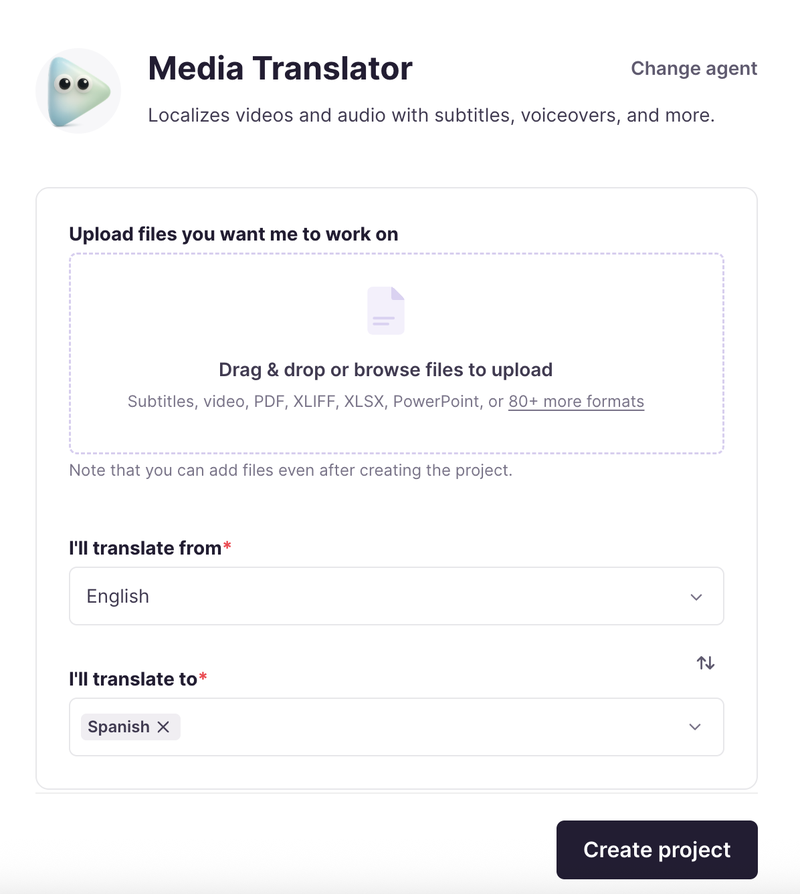
The interface looks clean. Upload a video. Choose the source and target languages. The tool handles the rest. The subtitle editor offers time-code control and live preview. It is simple to adjust text or timing.
Reviewers can see a live preview and correct errors. They can also adjust dubbed scripts. Voiceover pacing still needs attention. Some projects may take extra effort to perfect.
How We Tested
We used three video types.
- A short marketing clip in English to Spanish. Clear audio and no noise.
- A tutorial video in English to German. Two speakers and background music.
- An interview in English to French. Overlapping voices and technical terms.
We compared AI output to human translations. Then we edited the results with Smartcat’s tools. We checked transcription, accuracy, timing, dubbing, and effort needed.
Customer support speed and quality
To check the company’s support quality, we submitted an anonymous support request asking about speaker detection.
The company replied within an hour, which is a speedy response. The reply gave us useful information and answered our question well. Overall, we liked both the support speed and the quality of the information provided.
Bottomline
Smartcat video translation is fast and flexible. It works well for teams that need scale. Marketing, training, and product videos fit well. The automation saves time.
Still, for high value content, human review is a must. AI subtitles or dubs can miss nuance. With reviewers and editing, the results improve a lot.
If speed and volume matter most, Smartcat is a strong choice. If you need perfect localization, use Smartcat with human reviewers for the best results.
Note: This article may contain affiliate links. Please read our full disclaimer.
Have something to say? Join the discussion on LinkedIn or subscribe to stay tuned:

Max Roslyakov
Founder, Xamsor